

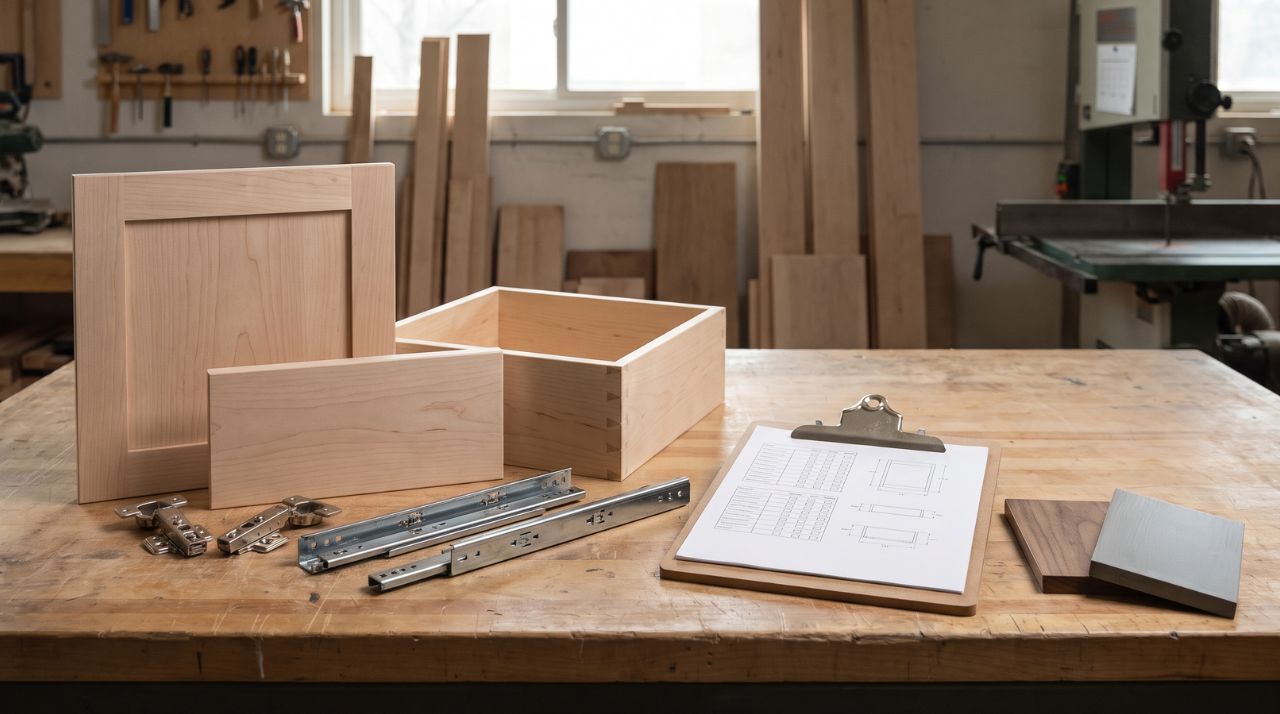
How to Build Standard Option Packages for Faster Quotes and Orders
Published by
Scott Rosenshein
on
You've sold this configuration a dozen times. The next quote for it still starts with a stack of old emails, a half-remembered hinge decision, and a call to whoever placed the last order. The fix is to turn that repeat configuration into a named record with fixed defaults, a short list of allowed choices, required job variables, compatibility rules, and exception triggers, then run that one record through your quote, your purchasing, and your production. What the package standardizes is the decisions and the data flow; the finished dimensions and fit still come from the actual job.
In this article:
- A package name is not a package specification
- Choose one recurring scope to package first
- Sort every decision into four control types
- Build compatibility rules into the package
- Expert Eagle Insight
- Separate package-wide settings from job and component data
- Map one customer package to every required order record
- Keep pricing attached but separately governed
- Test the package across the full handoff
- Name, version, and maintain the package
- Build the package once, then complete it for every job
- Frequently Asked Questions
A package name is not a package specification
Most shops already have packages. They're called things like "our standard shaker job," and they live in one person's head. That works until that person is out for a week, the estimator quotes the label, the purchaser reads it differently, and the shop floor builds a third version.
A usable package is a written definition that anyone in the shop reads the same way. When a salesperson offers "standard shaker," the record behind it already says which construction, which material, which finish state, which hinge platform, and which drawer box come with it.
Two records do the work. The package version is the reusable definition, with an owner and a revision number, and the package instance is one job's completed copy: the package choices, plus every quantity, dimension, and approved deviation for that project. You reuse the version and complete a new instance for each job.
Choose one recurring scope to package first
Start with a configuration you quote and order over and over. If most of your kitchens ship as painted shaker with undermount drawer boxes, that's your first package. A configuration you built once for one customer is a job, and it stays a job until it recurs.
Define four things before you write a single field:
- The customer or job condition the package serves (builder kitchens, remodel refaces, closet systems)
- What the package includes: purchased components, shop-built components, finishing, delivery, installation
- What the package excludes, stated as plainly as the inclusions
- Where the package stops and a custom quote begins
Keep the first package narrow enough that you can map every field, every rule, and every downstream record without gaps. A package that can't be completed on paper will be reinterpreted at every handoff, which is the problem you set out to fix. A second package can follow once the first one survives a few real jobs.
Sort every decision into four control types
Every field that shows up on an estimate, a purchase order, or a cut list gets one of four labels. If a value has no label, the package is incomplete, and someone downstream will supply it from memory.
Fixed defaults
A fixed default applies every time the package is selected and stays closed for routine jobs. Construction method, preferred material family, finish state, and hinge or slide platform are typical candidates.
Print them in the record, because a default that lives in the package name and nowhere else saves nothing; the estimator and purchaser still have to reconstruct what "standard" meant this time. The Lean Enterprise Institute defines standardized work as the documented current method for repeatable work, and a second person can only follow a method that's written down.
Allowed choices
An allowed choice is a documented alternative the customer or estimator can select without redesigning the package. Two approved paint colors, a second wood species, a primed or unfinished finish state: each one has already been quoted, ordered, produced, and installed by your shop and behaves the way the record says it does. There's no universal count; keep an entry only if you can run it again without a special conversation.
Job-specific variables
Quantity, finished width and height, overlay or inset condition, line type, handing, drawer depth, and machining details belong to the project, and the package requires them for every job. A NIST paper on mass customization separates configured attributes, chosen from predefined options, from parameterized attributes such as size, which vary within a defined range. A cabinet package holds both kinds, and the label on each field tells the estimator which one they're looking at.
A missing fit-critical value stops the job until someone measures or confirms it. Filling the blank from the last order, an old cut list, or a plausible guess produces a door or box cut to the last kitchen's opening.
Exception triggers
An exception trigger is a condition that pulls the job off the routine path: a species you haven't run, a customer-supplied slide with no installation instructions, an architectural match request, or any change to a protected compatibility rule. Each one needs a separate review, a supplier confirmation, a drawing, a cost input, or an approval before the job continues.
An exception gets its own record, because editing the standard package to absorb one job's oddity means the next routine job inherits it.
Here's how the four labels fall out for a typical door package:
- Fixed: approved style family, construction method, default thickness, center-panel rule, edge treatment, finish state, and preferred hinge platform
- Allowed choices: a short documented material or finish list, plus any approved style adjustments
- Job-specific: quantity, finished width and height, line type, overlay or inset condition, handing where it applies, per-line rail or stile changes, notes, and drawings
- Exception: a new profile or tooling requirement, an unsupported material combination, an unresolved overlay, a non-standard hinge position, or missing finished dimensions
Build compatibility rules into the package
Two independent fields, "choose a hinge" and "choose an overlay," leave the estimator to rebuild the relationship between them on every job, and the purchaser to rebuild it again.
Group each option with the mating conditions it affects, and write the relationship down. On the door side, overlay, hinge type, mounting plate, boring pattern, and attachment method form one interface; change the overlay and the hinge, plate, and boring all need a recheck. On the drawer side, box dimensions, slide type, bottom construction, clearances, and notch-and-bore preparation form another; switch from side-mount to undermount and the deductions, bottom thickness, and rear notch change with it.
Then mark which fields are protected. A change to a protected field does one of two things: it forces a compatibility recheck inside the package, or it forces a new supplier quote or a package review. Say which, in the record.
The specific deductions, clearances, and bore positions belong to the current hardware manufacturer instructions and your supplier's requirements, so your package should point to those sources. A copied table goes stale the first time a manufacturer revises its instructions, and nobody remembers to update the package.
Expert Eagle Insight
There's a lesson in how our own order form is built: we don't hand customers a blank page. Standard door styles load default specifications - rail widths, framing bead, panel, edge - and the customer adjusts from there, or picks Custom and combines from a fixed library of profiles. We could take freehand drawings; we don't, because a bounded set of options is what makes it possible to quote in hours, review every order in one pass, and build to a dependable lead time. The constraint isn't a limitation on the product - it's where the speed comes from. A shop building its own packages is making the same trade at its own scale: every decision you fix in the package is a decision that stops costing you time on every quote, every purchase order, and every handoff from sales to the floor.
And customers take that trade willingly, in our experience. Almost nobody who orders doors wants to invent a door - they want a good-looking, well-built door soon, at a price that works. Blue-sky customization sounds like service, but what it actually delivers is longer quotes, more clarifying calls, more chances for a spec to be misread, and a higher price for the privilege. A defined set of packages with real choices inside it lets you say "here's what we do, here's what it costs, here's when you'll have it" in one conversation - and that answer wins against a blank page far more often than it loses.
Separate package-wide settings from job and component data
The package record works at three levels, and mixing them is how a project value ends up treated as a package default.
|
Level |
Typical fields |
Who fills it |
|
Package-wide |
Construction platform, approved material set, finish states, hinge or slide family |
Package owner, once per version |
|
Job-level |
Customer, site, schedule, delivery method, overlay or inset basis for the project |
Estimator, once per job |
|
Component-level |
Quantity, finished width and height, line type, handing, machining, notes, drawing references |
Estimator or detailer, once per line |
A package-wide default fills a blank and leaves a deliberately entered value alone. If one drawer line in a routine job carries a documented exception, say a shallower box to clear a sink trap, the package default for box depth stops short of that line. If your spreadsheet can't tell a deliberate line-level entry from an empty cell, add a flag column, or the package will quietly erase exceptions on the way to the purchase order.
Map one customer package to every required order record
One customer-facing package activates several internal records, each with a different owner. The customer sees "painted shaker kitchen, soft-close." Inside the shop, that selection touches an estimate assembly, two purchase records, a hardware pull, a finish schedule, a delivery task, an installation scope, and whatever approvals or drawings the job needs.
Give the package a scope map. For each output, record the destination and the person responsible:
|
Package output |
Destination record |
Owner |
|
Customer description |
Quote or proposal |
Sales |
|
Estimate assembly |
Estimating template |
Estimator |
|
Purchased doors and drawer fronts |
Door supplier order |
Purchasing |
|
Purchased drawer boxes |
Drawer supplier order |
Purchasing |
|
Shop-built components |
Cut list and build record |
Shop lead |
|
Hardware |
Hardware pull or order |
Purchasing |
|
Finish operations |
Finish schedule |
Finisher |
|
Delivery and installation |
Schedule and install scope |
Project manager |
|
Notes, drawings, approvals |
Job file |
Estimator |
Put supplier-specific rules in the purchasing map, at the row where they apply. If a supplier requires an order split by species, or a separate submission for specialty items, that belongs beside the purchase record for that supplier. For example, when you order with us, doors and decorative drawer fronts go on one order, drawer boxes go on a separate order, and hardware is an add-on, so a single "kitchen package" at the customer level becomes at least two purchase records on your side.
Keep pricing attached but separately governed
A package record should carry a reference to the current cost records, labor assumptions, allowances, and approved alternates that price its scope. Each of those inputs needs its own owner and date, because component costs, freight, and labor rates move on a different schedule from construction decisions. A hinge platform might stay fixed for three years while its cost changes twice a year.
One flat package price with no scope, basis, or review rule attached is a liability. Six months later nobody knows whether the drawer boxes were in it or which supplier quote it came from. Store the price with its scope and its date, or store a pointer to the estimate that produced it.
The estimating method itself, with its cost buckets, markup, and freight, lives in your quoting process; the package hands it a defined scope and lets it do the math.
Test the package across the full handoff
Before you put a package into use, complete one instance with real or representative job values and push it all the way through.
- Fill every job-specific and component-level field. No blanks, no "same as last time."
- Translate the instance into your estimate. Confirm the scope matches the customer-facing description line for line.
- Translate it into each purchase record. Confirm every purchased component has a supplier, a field mapping, and any required split or attachment.
- Translate it into build information, the finish schedule, and the delivery or installation scope.
- Check that every required value has exactly one source and one owner, with nothing entered twice and nothing contradicting.
- When a supplier quote, confirmation, or acknowledgement comes back, compare it with the completed instance, field by field, before you approve it.
A passed test proves the package moves through your shop without being reinterpreted. The next job's dimensions and supplier confirmation still get checked against that job's own instance, however many times you've ordered the same style.
Name, version, and maintain the package
Give each package a short internal code and a plain-English customer label, then add the fields that control changes to it:
- Owner: the one person who approves changes
- Version number and effective date
- Date of the last check against current supplier forms and purchasing rules
- Date of the last cost-input check, if pricing references are attached
- Review trigger: the events that reopen the package
- Where the prior version or change record is archived
Record the version used on every quote and order. When you revise a package while a quote is open, the open quote keeps the version it was built on, and the new version applies to new work. Overwrite the record silently and a job priced on version 2 gets purchased on version 3, with nobody aware of the gap.
Reopen the package after a construction change, a supplier or hardware change, a cost-input change, a change to any downstream record it maps to, or an exception that keeps recurring. An exception that shows up on every third job is a candidate for promotion to an allowed choice, once you've documented its full effect on estimating, purchasing, production, and installation and run it through the same handoff test as the original.
Build the package once, then complete it for every job
The sequence is the same for a door package, a drawer package, or a full kitchen scope: choose one recurring configuration, classify every field as fixed, allowed, job-specific, or exception, map the compatibility rules, map every downstream record to an owner, test one instance through the full handoff, then version the record and set its review triggers. The result is a definition your estimator, purchaser, and shop lead read the same way on the first job and the fortieth.
Every job still gets its own completed instance, with finished dimensions measured and entered for that project. When the job includes purchased doors, a defined package and confirmed project values let you order custom cabinet doors built to your specifications from Eagle Woodworking without a round of clarifying calls: the style, construction, material, and finish state come from the package, and the quantities and finished sizes come from the job.
Frequently Asked Questions
What should be included in a standard cabinet option package?
Intended use, included and excluded scope, fixed defaults, allowed choices, job-specific variables, compatibility rules, exception triggers, a map of every downstream record and its owner, required documents and drawings, and the package owner and version. A customer-facing label with none of that behind it gets read differently by sales, estimating, purchasing, and production.
Should standard packages use fixed cabinet-door and drawer sizes?
No. Standardize how sizes are specified (overlay basis, deduction method, required fields) and which choices are approved, then enter the actual finished dimensions for every job. A package that carries sizes over from a prior project puts the wrong doors on the next one.
How many options should a cabinet package include?
There's no universal number. Keep the choices that serve recurring demand and that your shop can document, price, order, produce, and install the same way each time. Anything else routes through the exception process, where it can be reviewed, priced, and either declined or promoted later.
Can one package include several components and trades?
Yes. A single customer package can cover doors, drawer fronts, drawer boxes, hardware, finishing, delivery, and installation. The internal record has to map each of those to its own purchase record, build record, schedule, and owner so that one package name doesn't hide an unassigned task.
When should a standard package become a custom quote?
When a required value is unresolved, an option falls outside the approved list, a protected compatibility rule changes, the supplier's ability to produce the request is unknown, or the job needs a special drawing or a separate order. Any of those pulls the job off the routine path for review, and the review may still send it back as routine, with the decision recorded.